
Drum'nspireSequence. Arrange. Get inspired.
A MIDI drum sequencer for the whole song: write your motifs step by step, arrange them into sections, shape each section's energy, fills and variations. Chance notes and 40 styles suggest ideas when you want them; they never do the work for you.
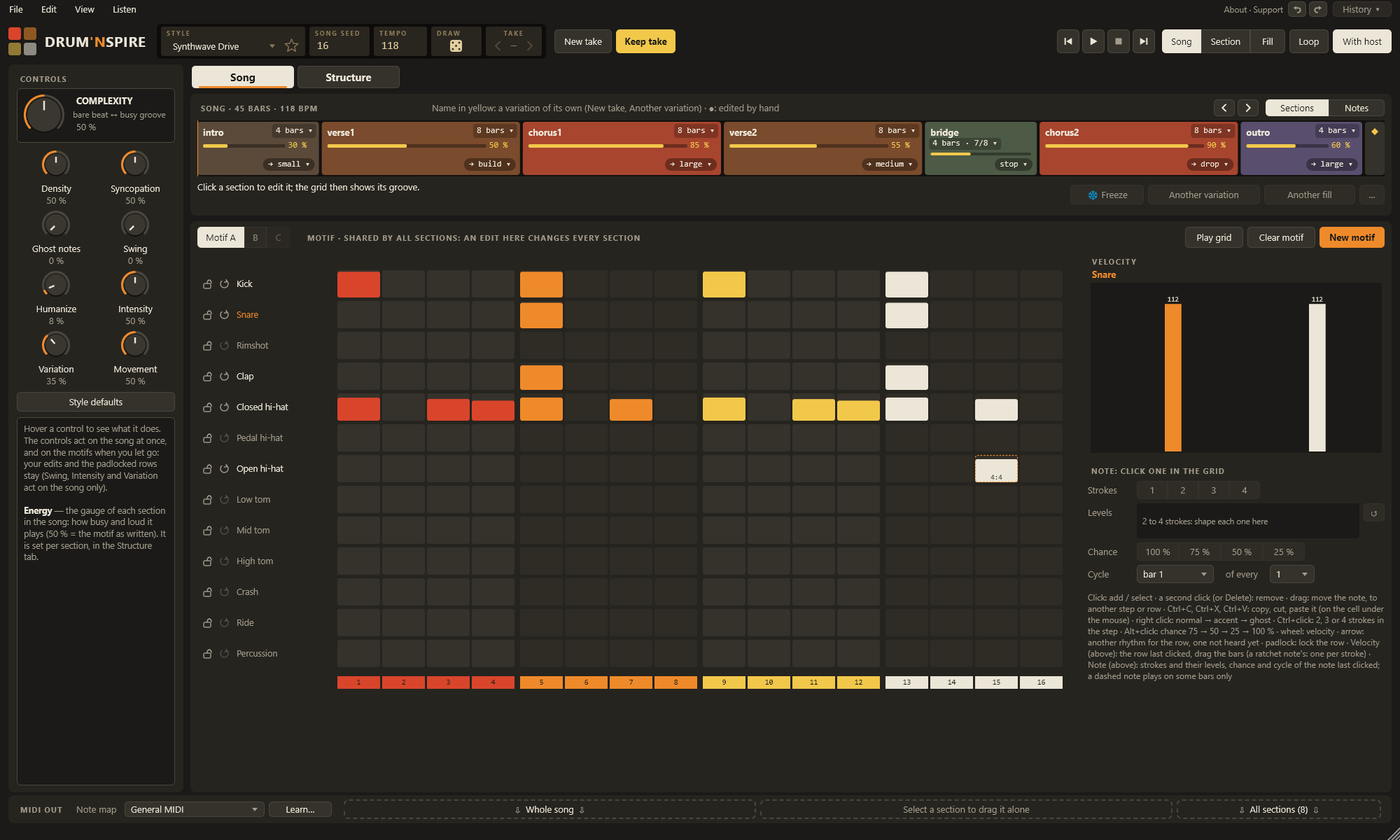
Everything a drum part needs, from the groove to the last crash
Drum'nspire makes no sound: it sends MIDI to the drum instrument you already love, live in your DAW, and drops the result into your arrangement when you like it.
A real step sequencer
Write your motifs step by step: velocities, accents and ghost notes, ratchets of 2 to 4 strokes with a level for each stroke. Up to three motifs per song.
A song-structure editor
Intro, verses, choruses, bridge, outro: each section has its length, energy, fill, crash, time signature, tempo and motif. Edit one section by hand and the others stay as they are.
Fills that sound like ideas
Small, medium and large fills, builds, band stops and drops, chosen for each section and played as complete phrases that land on the next one.
Chance and cycles
Notes that play 75, 50 or 25 % of the time, or only on the 4th bar of 4. A fixed draw plays the song the same every time; a looped section draws again on each pass.
40 styles, for ideas
Synthwave, 80s, pop, rock, funk & soul, hip-hop, electronic, latin, jazz & blues. Looking for a starting point? A style suggests a motif, a variation or a fill, and you make it your own. No song is copied.
Locked to your DAW
Plays with the DAW's transport, its loops and jumps. Drag the whole song, one section or every section into your arrangement as MIDI.
Any drum instrument
Note maps for General MIDI and UJAM Beatmaker are included, and Learn… maps your own kit in a few clicks.
Takes and history
Keep takes and come back to them, undo anything with the full history, store motifs in a library, mark your favourite styles. All saved with your project.
Edit down to the single stroke
Click to add, drag to move, right-click for an accent or a ghost note, Ctrl+click for a ratchet. The velocity lane splits a ratchet into its strokes: drag or scroll each one on its own.
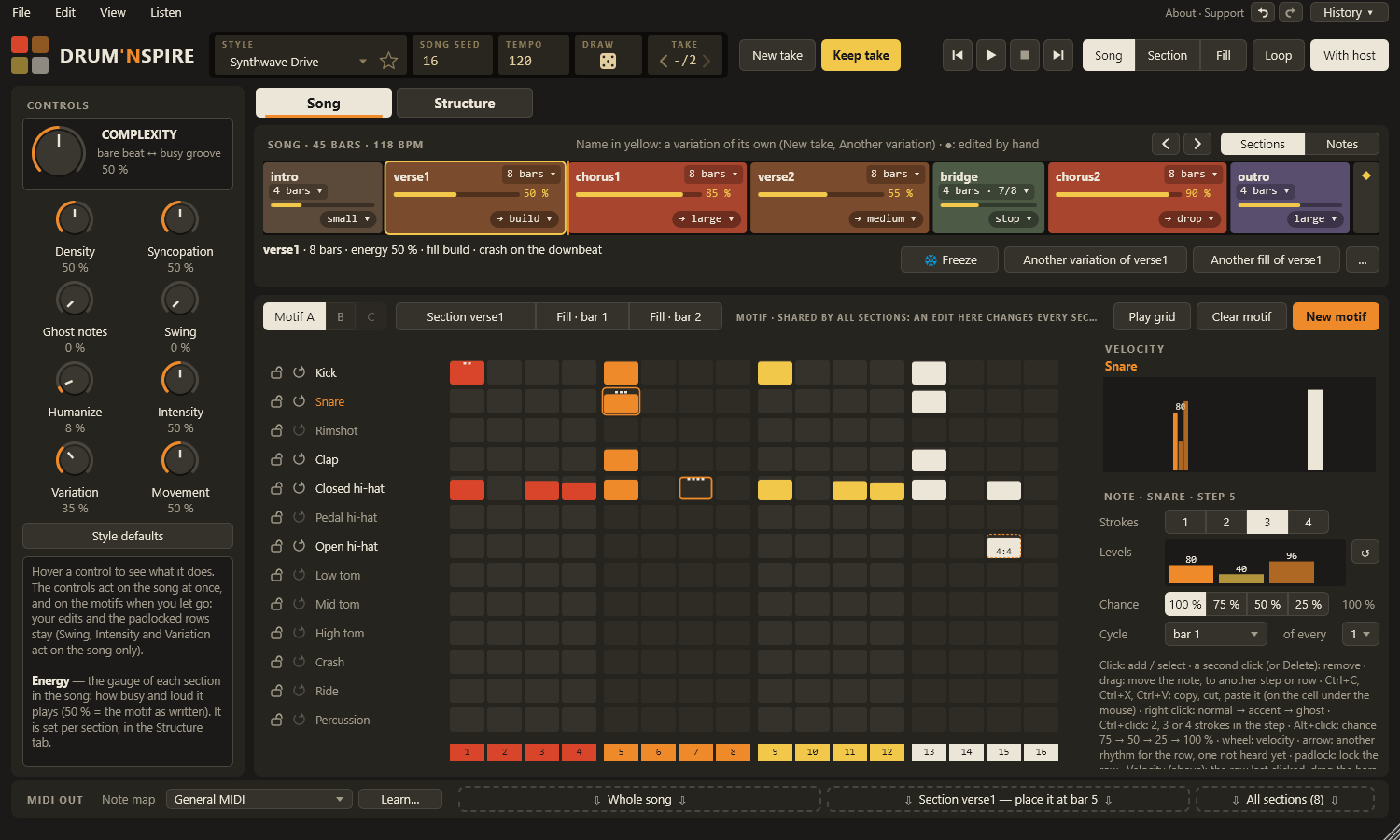
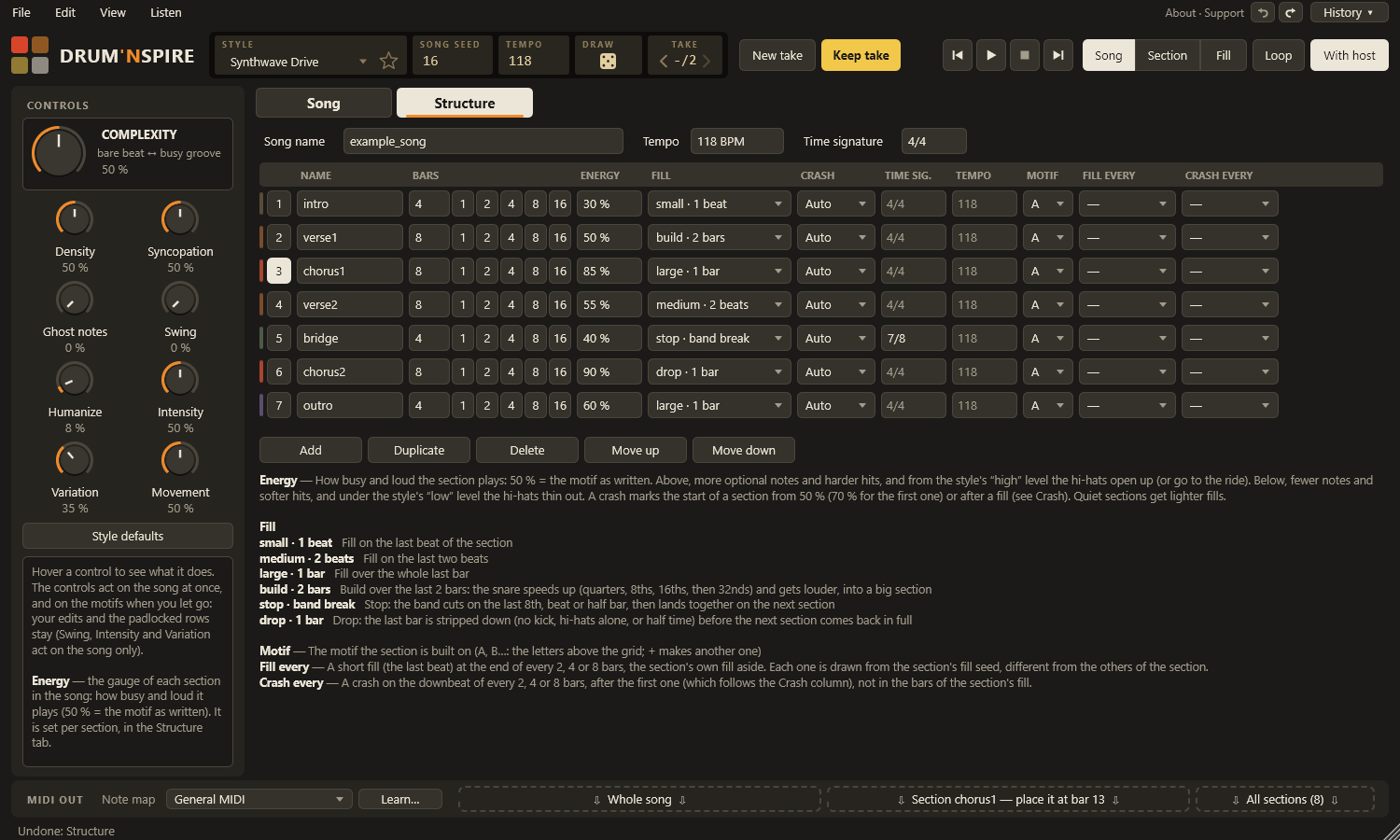
Shape the song like a band would
Every section in one table: bars, energy, fill, crash, time signature, tempo, the motif it plays, a short fill every 2, 4 or 8 bars. A legend under the table says what each choice does.
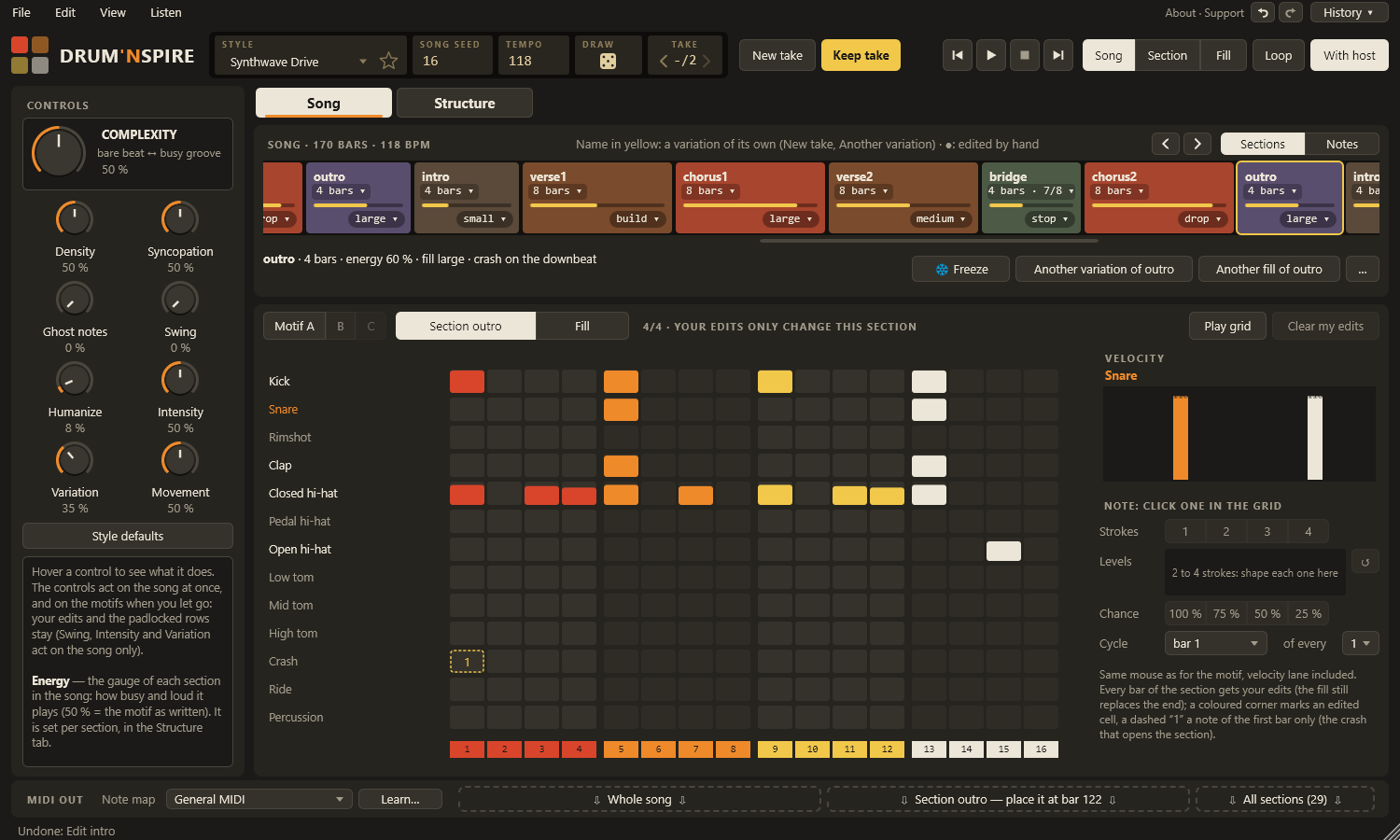
Touch one section, keep the others
Click a section and the grid shows its own groove. Your edits change that section only; a coloured corner marks them. Freeze a section, give it another variation or another fill, in one click.
Three steps in your DAW
- Insert Drum'nspire on an instrument track. It makes no sound by itself.
- Route its MIDI: set the input of your drum instrument's track to Drum'nspire, and turn its monitor on.
- Press play, write or edit the motif in the grid, build the sections, then drag the song into the arrangement.
No DAW? The standalone app sends the same MIDI to a hardware drum machine or to another program through a virtual MIDI cable.
Free, with every feature
Drum'nspire 1.0.0 for Windows
Download Drumnspire-1.0.0-win64.zip- Drum'nspire.vst3: the plug-in, for your DAW.
- Drum'nspire.exe: the standalone app, nothing to install.
- The manuals in English, French, German and Spanish, and the licence.
Installing the plug-in
- Close your DAW and unzip the file.
- Copy the Drum'nspire.vst3 folder into
C:\Program Files\Common Files\VST3(Windows asks for an administrator's permission). - Open your DAW and let it scan the plug-ins again if it does not find Drum'nspire.
- Chapter 2 of the manual shows the routing, step by step.
Free to use. Kind to support.
Drum'nspire is free, with every feature, no account and no time limit. If it finds its way into your tracks, a coffee on Ko-fi pays for the next features, and for the Mac version: Apple charges developers 99 € a year to publish.
Sharing a track made with it, or telling a friend, helps just as much.
Support Drum'nspire on Ko-fiGood to know
Does it make any sound?
No. Drum'nspire sends MIDI (channel 10, 480 PPQ). Your drum instrument plays it: UJAM Beatmaker, a General MIDI kit, a sampler, any plug-in that takes MIDI notes.
Does it write the song for me?
No. You write the motifs and lay out the sections; Drum'nspire plays them with the energy, fills and variations you choose. The styles and chance notes suggest ideas when you are stuck, and whatever they suggest stays editable in the grid.
Which DAWs does it work with?
Any VST3 host that can send a plug-in's MIDI output to another track. It is developed and tested in Studio Pro. If your DAW gives you trouble, tell me: the manual's troubleshooting chapter grows with your reports.
Is it really free?
Yes: every feature, no account, no time limit, no ads. Donations on Ko-fi are welcome and never required. The MIDI you make with it is yours, commercial tracks included.
Windows warns me about the app. Is it safe?
The app is not signed with a paid certificate, so Windows SmartScreen may show “Windows protected your PC” the first time. Choose More info, then Run anyway. The plug-in itself is loaded by your DAW and shows no such warning.
Will there be a Mac version?
Yes, it is planned. Your support on Ko-fi pays for Apple's developer membership that it needs.
Does it copy existing songs?
No. The 40 styles are written from the conventions of each genre (where the backbeat falls, how busy the hi-hats get), never from a song.
Who makes Drum'nspire?
Drum'nspire is designed, played and tested by Cicee, to finally get a drum part that follows the whole song. The code is written with Claude Code, an AI coding assistant.